
Chipper & Sons Lumber Co.15 - Get APK
You'll be able to download in few seconds.
Publisher Description
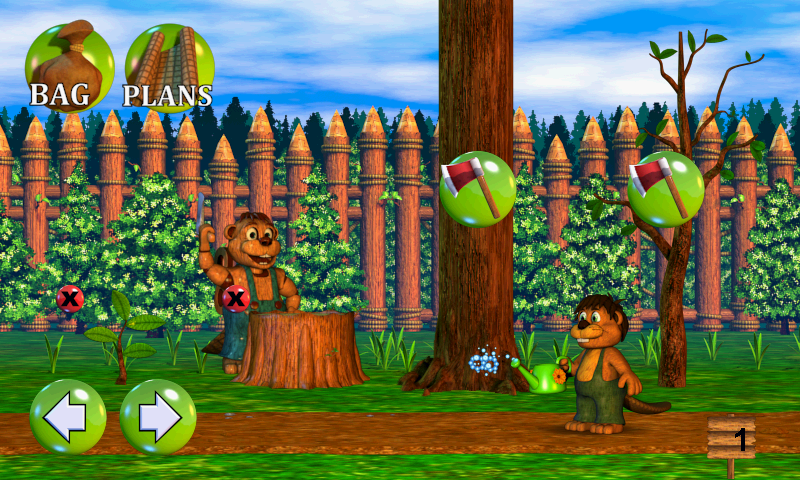
Welcome to Beaver Forest, where little Tyke is about to venture out into the world for the first time! You'll plant trees, chomp trees, and build a wide variety of things using the lumber that you gather!
Find trees and cut them down to collect the wood. Take the wood to Mr. Chipper (your Dad) and he will make lumber for you. Using that, as well as the items you collect, you'll build things ranging from Lumberbots, to Totem Poles, to Crab Cabanas, and in the process you'll unlock new and more advanced blueprints!
There are also plenty of mini-games offered by the inhabitants of the forest, each rewarding you with unique and helpful items, such as fungal fertilizer and storm callers, which can summon a rain storm at the press of a button to help your trees grow!
-Do favors for the other creatures of the forest and they'll send helpful items to you through the mail!
-Create Lumberbots to chop wood for you while you're away and they'll send you lumber in the mail!
-Five mini-games; including island jumping, mushroom bouncing, and termite treasure-hunting!
-30 blueprints to unlock!
-Over 50 items to collect and use in your creations!
-Earn Beaver Coins by building things and use them to buy pets and power-ups!
About Chipper & Sons Lumber Co.
The company that develops Chipper & Sons Lumber Co. is Scott Cawthon. The latest version released by its developer is 15.
To install Chipper & Sons Lumber Co. on your Android device, just click the green Continue To App button above to start the installation process. The app is listed on our website since 2014-01-11 and was downloaded 0 times. We have already checked if the download link is safe, however for your own protection we recommend that you scan the downloaded app with your antivirus. Your antivirus may detect the Chipper & Sons Lumber Co. as malware as malware if the download link to com.scottgames.chipperandsonsv2 is broken.
How to install Chipper & Sons Lumber Co. on your Android device:
- Click on the Continue To App button on our website. This will redirect you to Google Play.
- Once the Chipper & Sons Lumber Co. is shown in the Google Play listing of your Android device, you can start its download and installation. Tap on the Install button located below the search bar and to the right of the app icon.
- A pop-up window with the permissions required by Chipper & Sons Lumber Co. will be shown. Click on Accept to continue the process.
- Chipper & Sons Lumber Co. will be downloaded onto your device, displaying a progress. Once the download completes, the installation will start and you'll get a notification after the installation is finished.
Program Details
System requirements
Download information
Pricing
Version History
version 15
posted on 2014-01-11
Disclaimer
External Download
We do not host Chipper & Sons Lumber Co. on our servers. We did not scan it for viruses, adware, spyware or other type of malware. This app is hosted by Galad and passed their terms and conditions to be listed there. We recommend caution when installing it.
The APK Download link for Chipper & Sons Lumber Co. is provided to you by apps112.com without any warranties, representations or guarantees of any kind, so access it at your own risk.
If you have questions regarding this particular app contact the publisher directly. For questions about the functionalities of apps112.com contact us.
